Stop reading your plan off a PDF between sets.
Setline runs your written programme one set at a time — every rep range, rest band and coaching cue — then records what you actually lifted. It tells you the load your last three sets earned, not the load you half-remember.
Not on the App Store yet. The source is public while it is built.

Your plan is precise. Your tracker isn't.
A written programme carries rep ranges, reps in reserve, rest bands, per-side work, tempo and progression rules. Most trackers give you two boxes and forget the rest.
-
01
“3 × 6–10, 1–2 reps in reserve, rest 2.5–3 min.”
Typed into a box for weight and a box for reps, that instruction is gone. Nothing can check whether you earned the next load.
-
02
Five at 40 kg, then two at 30 kg. That is one set.
Split it into two rows and your set count lies. Drop the second half and your volume does.
-
03
A warm-up is not a working set.
Count a 20 kg bar ramp toward your volume and every trend you look at is wrong.
-
04
Your rest timer dies when you put the phone down.
Which is exactly when you need it.

Everything the set needs, and nothing else.
-
→
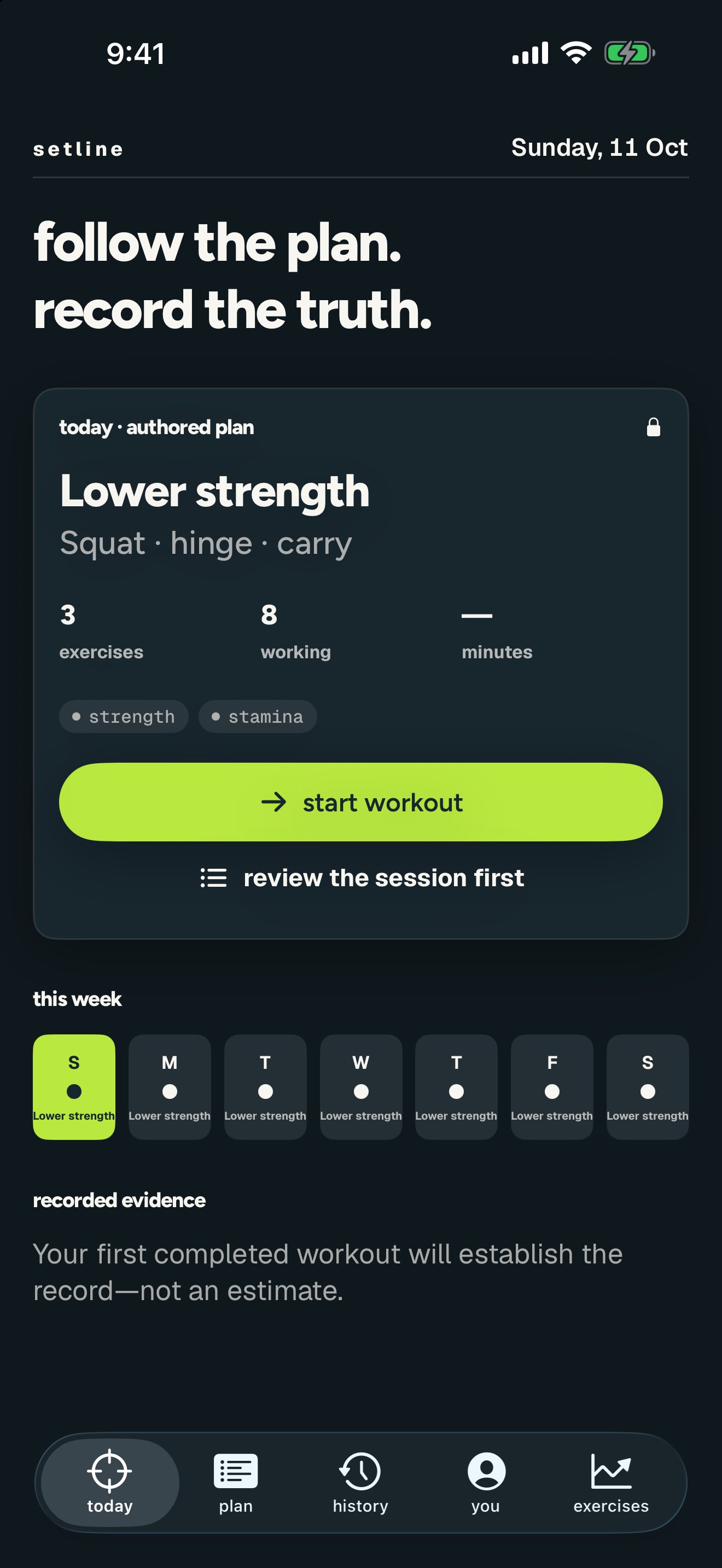
The target, as written
Rep range, load or percentage, reps in reserve, tempo, per-side, and rest as a band — because “2.5–3 min” is not the same instruction as “150 seconds”.
-
→
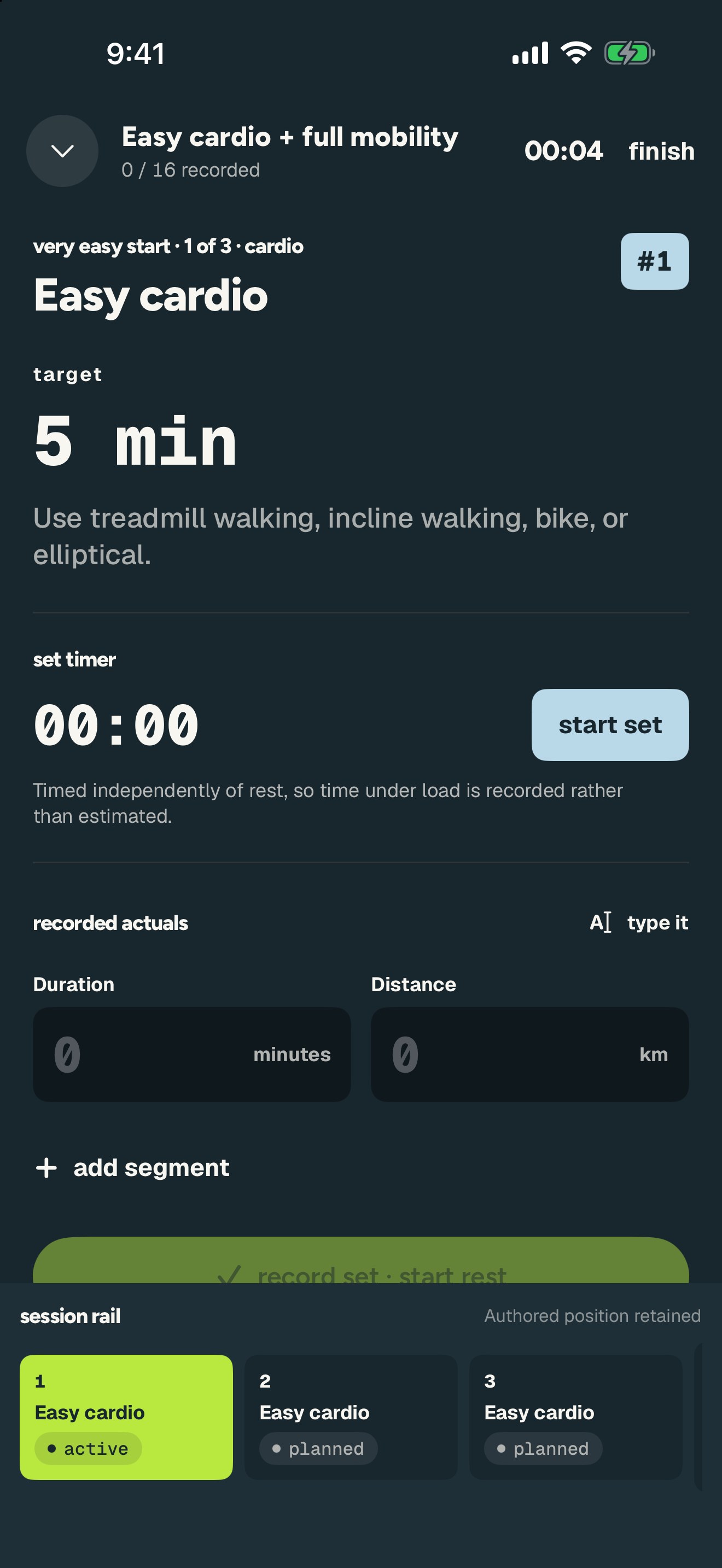
A timer for the set, separate from the rest timer
Time under load gets recorded instead of guessed. Holds and carries count down; sets count up.
-
→
Segments, so one set stays one set
Add as many as the set had. Or type
5x40, 2x30and Setline shows you how it read that before anything is recorded. -
→
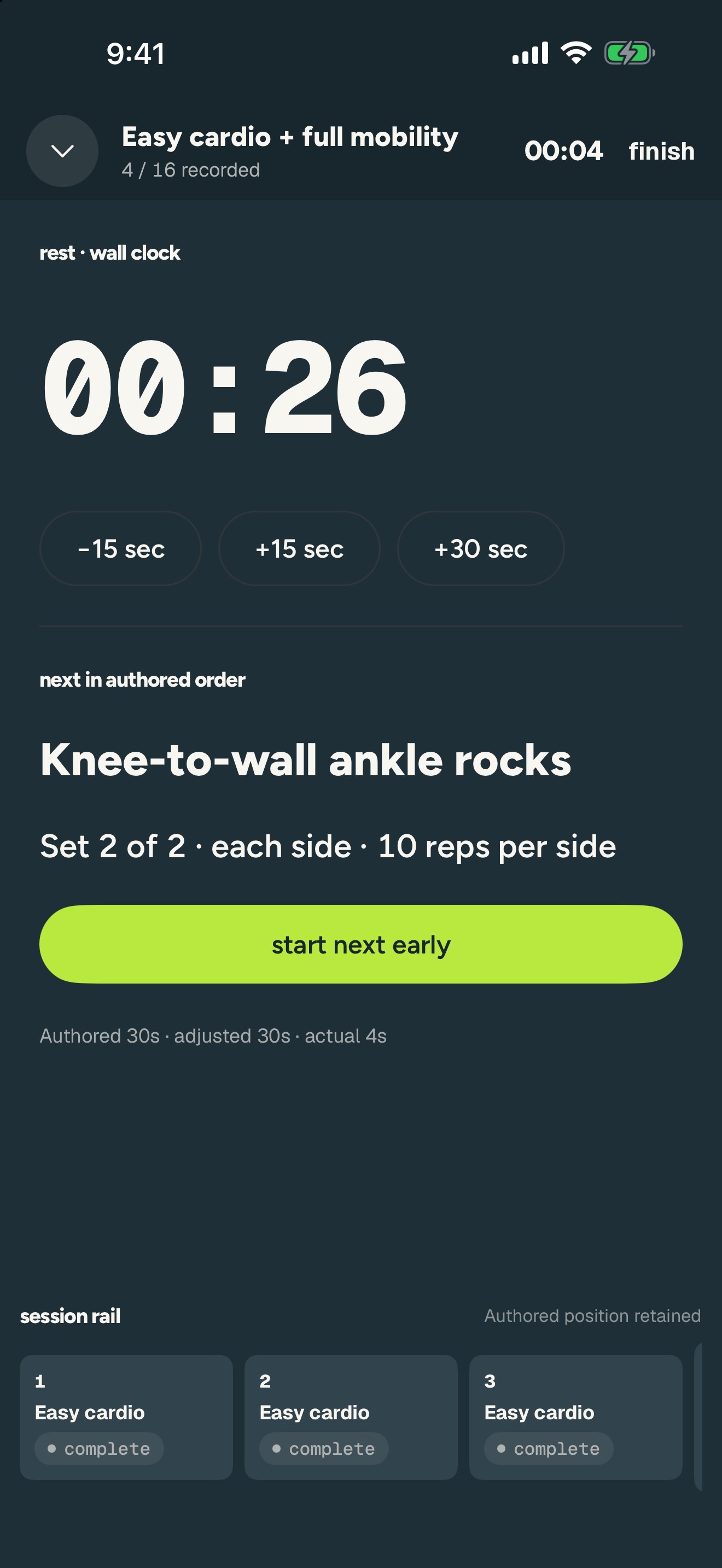
Rest that survives your pocket
Anchored to a wall-clock end time and it notifies you when it's up. Authored, adjusted and actual rest are all kept apart.

The number you have. The number you want.
Set a target per exercise — estimated 1RM, top set at a rep count, max reps, best hold, distance, pace, or measured range. Setline works out where you are and how fast you're closing the gap.
-
→
Measured from working sets only
A 200 kg leg-press warm-up can never become your record.
-
→
Every value names the session that produced it
“72.5 kg · Upper · 16 Aug”. You can always go and check.
-
→
Rate and arrival, from your own data
2.5 kg a week and 17.5 kg to go. If the trend points the wrong way, Setline says nothing rather than promising a date.
-
→
Progression that follows your rules
Hit the top of the range on every working set and it says add load — by your programme's increment, with the three sets that earned it printed underneath.
Strength isn't the only thing worth a number.
A hold is not a rep and a pace is not a load. Each pillar is measured in the units that pillar actually improves in.
Strength
Working sets, load, reps in reserve, tonnage per muscle group.
Stamina
Intervals, easy aerobic work, and controlled hard efforts kept apart.
Mobility
Active range and control, per side, with the doses your routine prescribes.
Flexibility
Passive range and how long you can actually hold it.
A bundled library of movements across all four pillars — plus the CrossFit movement vocabulary — carries the muscles, equipment and measurable metrics for each one. Apple Health heart-rate zones, range-of-motion assessments and AMRAP/EMOM scoring are being built next; they are not claimed as shipped.
What Setline refuses to do.
A training log is only worth keeping if you trust every number in it.
No invented numbers
If nothing comparable has been recorded, the value reads “unavailable”. It is never estimated, interpolated, or filled in from an average.
No chart before there is data
A trend needs at least two comparable sessions. Until then you get a sentence explaining why, not a flat line pretending to be progress.
No rewriting your plan
Skip a set, defer it, or add one, and the authored position is kept. A deviation is recorded as a deviation — never as a plan you never wrote.
No account required
Every workout action works with no signal and no sign-in. Your training stays on your iPhone unless you choose otherwise.
Who this is for.
A good fit if
- You already follow a written programme — yours, a coach's, or a book's.
- You want the number in the app to be the number you actually lifted.
- You care about mobility and conditioning, not only the barbell.
- You'd rather see “unavailable” than a plausible guess.
A poor fit if
- You want an app to invent your training for you.
- You want a social feed, streaks, or badges.
- You're on Android — Setline is iPhone only.
- You want it today. It is still in development.
Straight answers.
Can I download it?
Not yet. Setline is an iPhone app in active development and is not on the App Store. The source is public if you want to read it or build it yourself.
Does it work without signal?
Yes — entirely. Starting a workout, recording sets, resting, and finishing all happen on the device. There is no request in the middle of your set.
Do I need an account?
There isn't one. Setline has no sign-in, no server and no database — nothing to register for and nothing to breach. The trade-off is real: your training lives on one iPhone until iCloud sync ships, so use the export if you want a backup.
Can I use my own programme?
Yes. Build templates with structured targets and schedule them across a 1–16 week block. A dated 12-week strength, cardio and mobility programme ships bundled as an example of what the format can carry.
How do I record a drop set or a rest-pause set?
As one set with several segments. Add a segment per piece, or type shorthand like 5x40, 2x30 or bw+10x8. Setline shows its reading of the shorthand before it applies anything, so entry is never a guess.
Does it do CrossFit?
Partly, today. The movement vocabulary — thrusters, wall balls, toes-to-bar, double-unders, muscle-ups and the rest — is in the bundled library. AMRAP, EMOM, For Time and benchmark-WOD scoring are being built and are not claimed as working yet.
Does it read Apple Health?
Not yet. Heart-rate zones, VO2 max and writing completed sessions back to Health are the next block of work.
What does it cost?
Nothing. It is a personal project built for one person's training block, published because the approach might be useful to someone else.
Where does my data live, and can I get it out?
On your iPhone, in one file, and nowhere else. There is a versioned JSON export of everything, and an import that previews what it will replace before it replaces it. Since there is no server copy, that export is also your only backup. See the privacy notice.